On your phone: YouTube’s Shorts feed limit
In the YouTube app, open the You tab, go to Settings, then Time management, and choose a Shorts feed limit. You can pick from a list of times, including zero. When you reach it, YouTube shows a reminder that you can dismiss or ignore, so it’s a nudge rather than a lock. Google’s steps are on the YouTube Help page.
That setting doesn’t carry over to watching on youtube.com in Chrome, which is where the extensions below come in.
On a computer, option A: cap the minutes with Reel Time
Reel Time is a Chrome extension from Hall House Labs that gives short-video feeds a daily time budget. You keep Shorts; you just stop when your minutes are spent.
- Add Reel Time to Chrome from the Chrome Web Store. YouTube Shorts starts with a 15-minute daily budget.
- Open a Short on youtube.com and watch as usual. A small “time left today” pill in the bottom-left corner counts down (you can turn it off in Settings). Time only counts while a Shorts page is open and the tab is visible.
- When the budget is spent, Reel Time pauses the video and shows a break card with two buttons: Take me somewhere calmer and Close this tab.
- Your budget refreshes at midnight, your local time. Click the Reel Time icon in the toolbar any time to see what’s left today.
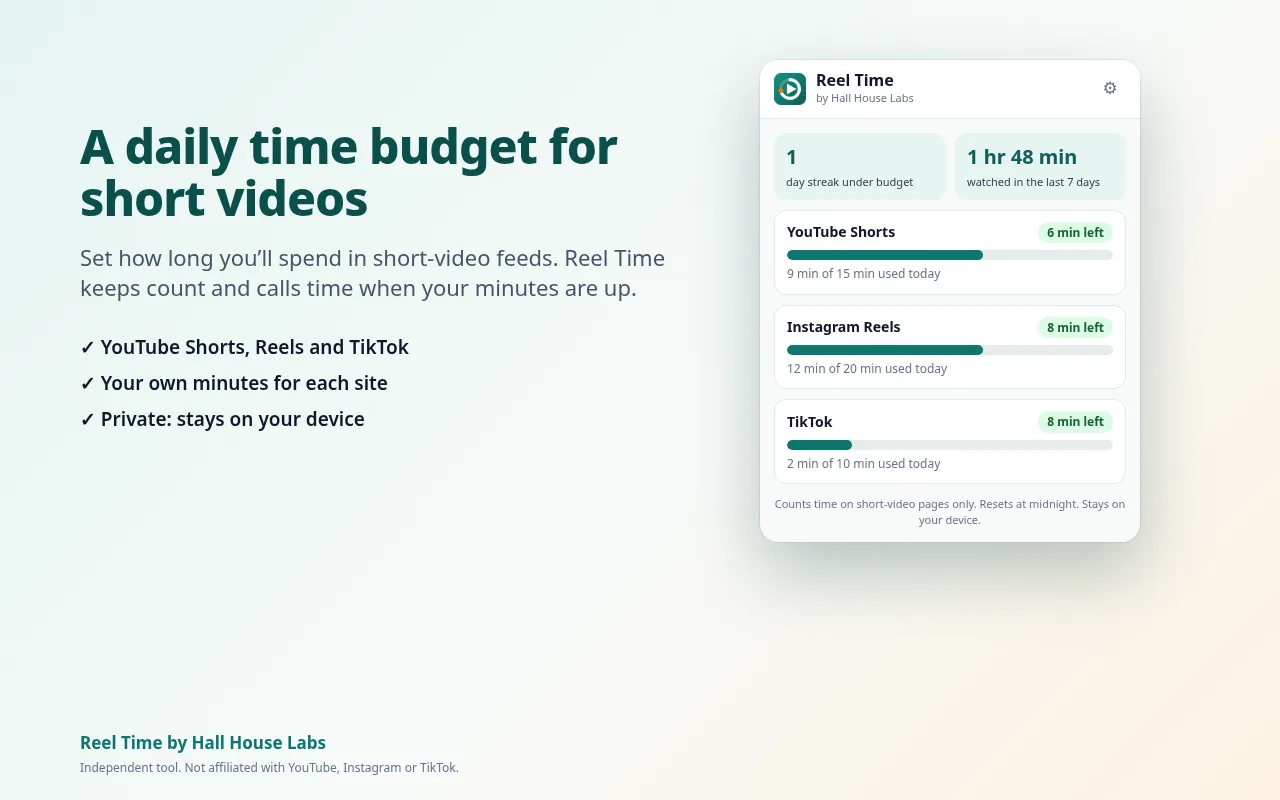
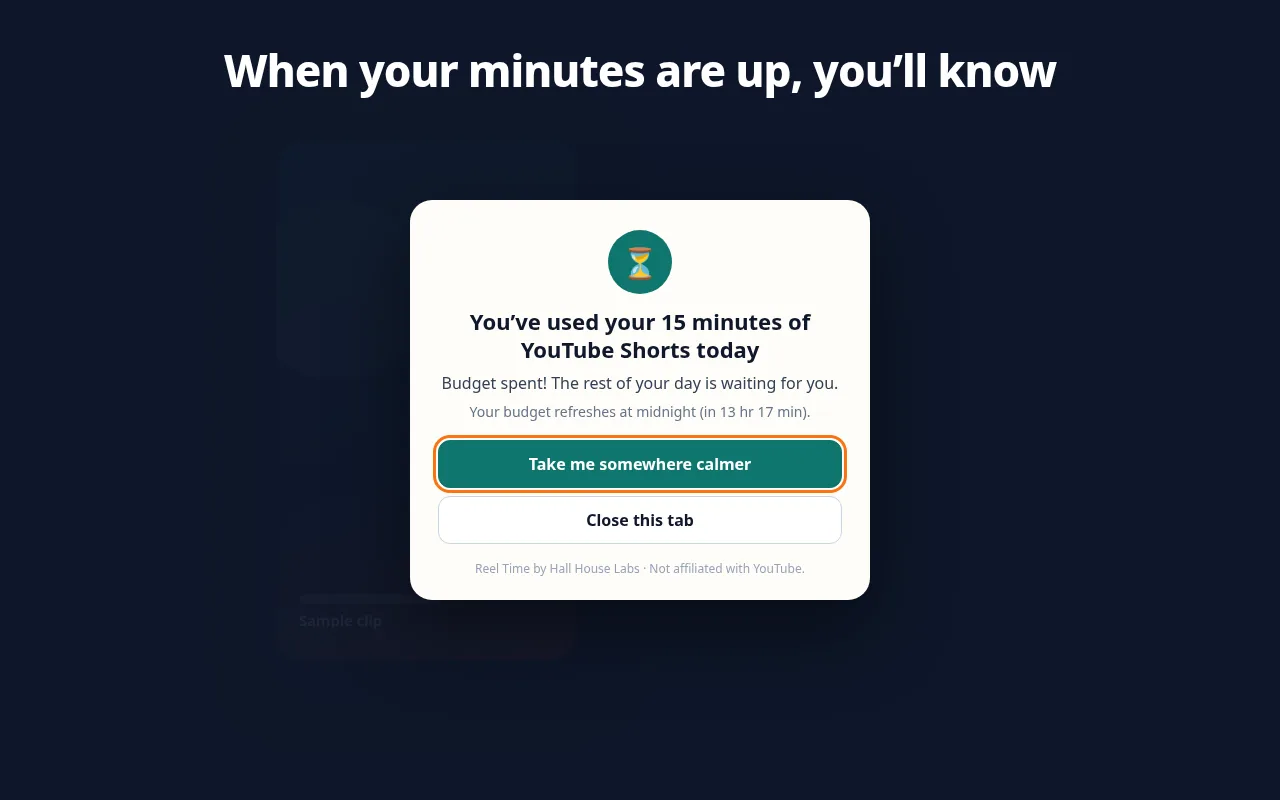
The popup on the left is shown with the unlock (Reels, TikTok and streaks).
- Free: a fixed 15 minutes a day of YouTube Shorts, the time-left pill and the break card.
- One-time $4 unlock: budgets for Instagram Reels and TikTok too, your own minutes for each site (1 to 240 a day) or switch a site off, streak stats with a 7-day chart, and an optional “5 more minutes” once per site per day. No subscription.
- Privacy: Reel Time looks only at the page address (to tell whether you’re on a short-video page) and whether the tab is visible. It doesn’t read page text, titles, comments or your account, and it saves only minutes per site per day, in your browser. The only network call is a one-time license check with Gumroad if you buy the unlock. See the privacy policy.
On a computer, option B: hide or block Shorts entirely
If you’d rather not see Shorts at all, there are two common approaches:
- Shorts-hiding extensions remove the Shorts shelf, tab and recommendations from YouTube while leaving regular videos alone.
- Site blockers can block any address that starts with
youtube.com/shorts, which stops Shorts pages from opening while the rest of YouTube still works.
Either way it’s all or nothing: no Shorts at all, rather than a daily allowance.
Tips before you install any extension
- Check what it can access. The Chrome Web Store lists each extension’s permissions and links its privacy policy. A Shorts limiter shouldn’t need access to every site you visit. Reel Time runs only on youtube.com, instagram.com and tiktok.com.
- Use it in desktop Chrome. Reel Time is built and tested for desktop Chrome. It doesn’t work in the YouTube phone app; use YouTube’s own limit there.
- Incognito windows. Chrome doesn’t run extensions in Incognito unless you allow it. If you want the limit to apply there too, open
chrome://extensions, click Details under the extension and turn on Allow in Incognito. - It’s a nudge, not a lock. Anyone can turn off an extension or switch browsers. A limit works best as a decision you make once, calmly, so you don’t have to make it again at 11 PM.
Common questions
Does YouTube have a Shorts time limit on desktop?
YouTube’s Shorts feed limit is documented for the YouTube app only. On a computer, use a browser extension like Reel Time to cap the minutes, or a Shorts-hiding extension or site blocker to remove them.
Can I set the limit to zero?
In the YouTube app, yes: zero is one of the options. Reel Time doesn’t go to zero. The free version is a fixed 15 minutes a day; with the unlock you can choose 1 to 240 minutes a day. If you want no Shorts at all on a computer, hiding or blocking them (option B) is the better fit.
Does a time limit also cover Instagram Reels and TikTok?
With Reel Time’s one-time $4 unlock, yes: Instagram Reels and TikTok on the web each get their own daily budget. The free version covers YouTube Shorts only.
Does it work in the YouTube app or on my phone?
No. Reel Time is a desktop Chrome extension. On your phone, use the Shorts feed limit in the YouTube app.